
VoiceCommit Now on iOS: Capture Ideas Anywhere

The best ideas don't wait for you to be at your desk. They're in the shower, on the commute, during a walk, or at 2 AM when you finally fall asleep and then suddenly wake up with the solution.
I built VoiceCommit to solve this problem for developers. But the web app had a limitation: you needed your laptop.
Today, that's changing.
Introducing VoiceCommit for iOS
The native iOS app is here. Same voice-first experience, now in your pocket.
What You Get
🎤 Native Voice Recording
- Tap to record, watch live transcription appear
- Crystal-clear audio powered by iOS Speech framework
- Works completely offline
🔐 Native Authentication
- Sign in with Apple (fastest)
- GitHub OAuth for full repository access
- Sessions persist securely
☁️ Cloud Sync
- Captures automatically sync to your VoiceCommit account
- View all your captures across devices
- Integrates with the web app you already use
⚡ Siri Shortcuts
- "Hey Siri, start recording with VoiceCommit"
- Action Button support (iPhone 15 Pro)
- Back Tap integration
📱 Works Offline
- Record anywhere, even in airplane mode
- Captures queue and sync when back online
- Never lose an idea again
Perfect For
The Commute Traffic's terrible, but your code insight is clear. Tap record, speak for 30 seconds, and by the time you park, your GitHub issue is ready.
The Workout Mid-run, the architecture solution hits. Quick voice note between sets. Zero friction.
The Vacation Beach walks spark creativity. Capture that brilliant refactoring idea without interrupting your time off. Your notebook collects everything.
The Late Night Woke up at 3 AM with the fix? Don't try to type it. Record it. You'll thank yourself in the morning.
How It Works
- Open the app - Authenticated instantly with Face ID or Touch ID
- Tap the mic - Start recording, watch transcription appear live
- Review - Edit if needed (though the transcription is impressively accurate)
- Submit - One tap sends it to your GitHub repository
That's it. Four taps from idea to GitHub issue.
Technical Highlights
- Built with SwiftUI and Supabase
- Native iOS speech recognition (no server costs for transcription)
- Secure Keychain storage for tokens
- Universal Links for seamless OAuth
- App Intents for Siri Shortcuts
Pricing
The iOS app is free to download. Your existing VoiceCommit tier applies:
| Tier | Monthly Captures | Price |
|---|---|---|
| Free | 25 | $0 |
| Pro | Unlimited | $19/mo |
No separate mobile pricing. Use VoiceCommit everywhere.
Get Started
Already a VoiceCommit user? Just sign in with Apple or GitHub and your captures sync automatically.
What's Next
This is just the beginning. Here's what's coming:
- Widgets - Quick capture from Home Screen
- Apple Watch - Record with your watch
- Push Notifications - Know when your captures are processed
- iPad - Optimized layouts for tablet
The vision remains the same: capture ideas anywhere, ship faster.
The Bigger Picture
When I started VoiceCommit, I believed voice could transform how developers work. The web app proved that. Now the iOS app extends that power to every moment of your day.
Ideas don't wait. Neither should you.
Questions? Reach out at support@voicecommit.com or on X @voicecommit.
Related Posts

Introducing VoiceCommit: From Ideas to GitHub Issues in Seconds
Introducing VoiceCommit: From Ideas to GitHub Issues in Seconds
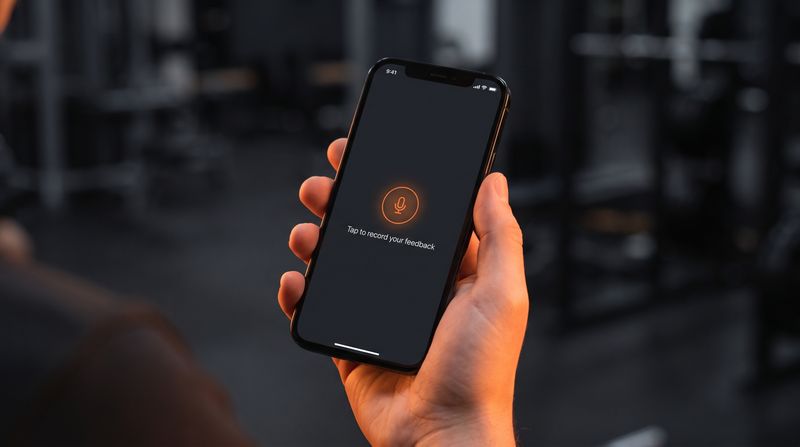
Voice feedback that lives inside your iOS app
VoiceCommit's feedback widget went native. On-device speech recognition, the same AI dashboard, and a Spotter integration in three edits.

The Shower Thought Problem: Why Developer Ideas Disappear Before You Can Use Them
Developers have their best ideas away from the keyboard. Most of those ideas disappear before they become code. Here's why — and how voice capture fixes it.