
Voice feedback that lives inside your iOS app
Shipping the VoiceCommit widget natively, and wiring it into Spotter in an afternoon

VoiceCommit's feedback widget started as a web thing. You drop a script tag on your site, a mic button appears in the corner, and your users talk instead of typing. The transcript lands in a dashboard, an AI pass tags it (bug versus praise, sentiment, urgency), and if you point it at a repo, it opens a GitHub issue automatically.
That works on the web. It does not work inside a native iOS app. So I built the native version and wired it into a real shipping app, Spotter, a talk-to-log workout tracker. The whole integration took an afternoon. Here is how it went together, and why the result is worth having.
You can't just embed the web widget
The obvious move is to load the web widget in a WKWebView and call it done. It does not work. The widget captures speech with the browser Web Speech API, and iOS's web view does not support it. Wrap the web widget in an app and the mic button is dead on arrival.
The backend half of the widget is completely reusable, though. The submit endpoint, the AI analysis, the dashboard, the notifications: all of that is an HTTP API. So the native SDK does not reinvent any of it. It is a thin native client that captures speech the right way for the platform and posts to the same endpoint the web widget already uses.
The native SDK mirrors the web one
The native SDK keeps the web widget's API shape so it feels familiar:
// Web widget:
VoiceCommitWidget.init({ widgetId: 'YOUR_ID' })

// Native SDK:
VoiceCommitWidget.configure(widgetId: "YOUR_ID", domain: "yourapp.app")
Under the hood it uses SFSpeechRecognizer for on-device transcription, presents a native SwiftUI sheet, and posts to POST /api/widget/{id}/submit, the same endpoint the web widget hits.
A few decisions made it fit cleanly:
- No API key. Authentication is a match against the widget's allowed-domains list. A native app has no browser origin, so the SDK sends an Origin header set to the configured domain, which satisfies both the submit and config endpoints. Nothing secret ships in the binary.
- Automatic context. App version, build, OS, device model, and locale attach to every submission and feed the server-side AI analysis. You do not wire any of that up.
- Graceful fallback. If mic or speech permission is denied, or the device has no speech support, the user types instead. The sheet switches modes on its own.
It ships as a normal Swift Package:
.package(url: "https://github.com/bennewton999/voicecommit-widget-ios.git", from: "1.0.0")
Dropping it into Spotter
Spotter is a native iOS app where you talk to log your sets between machines. It already had microphone and speech-recognition permissions, since it is a voice app, so there was nothing to add to Info.plist. The integration was three edits.
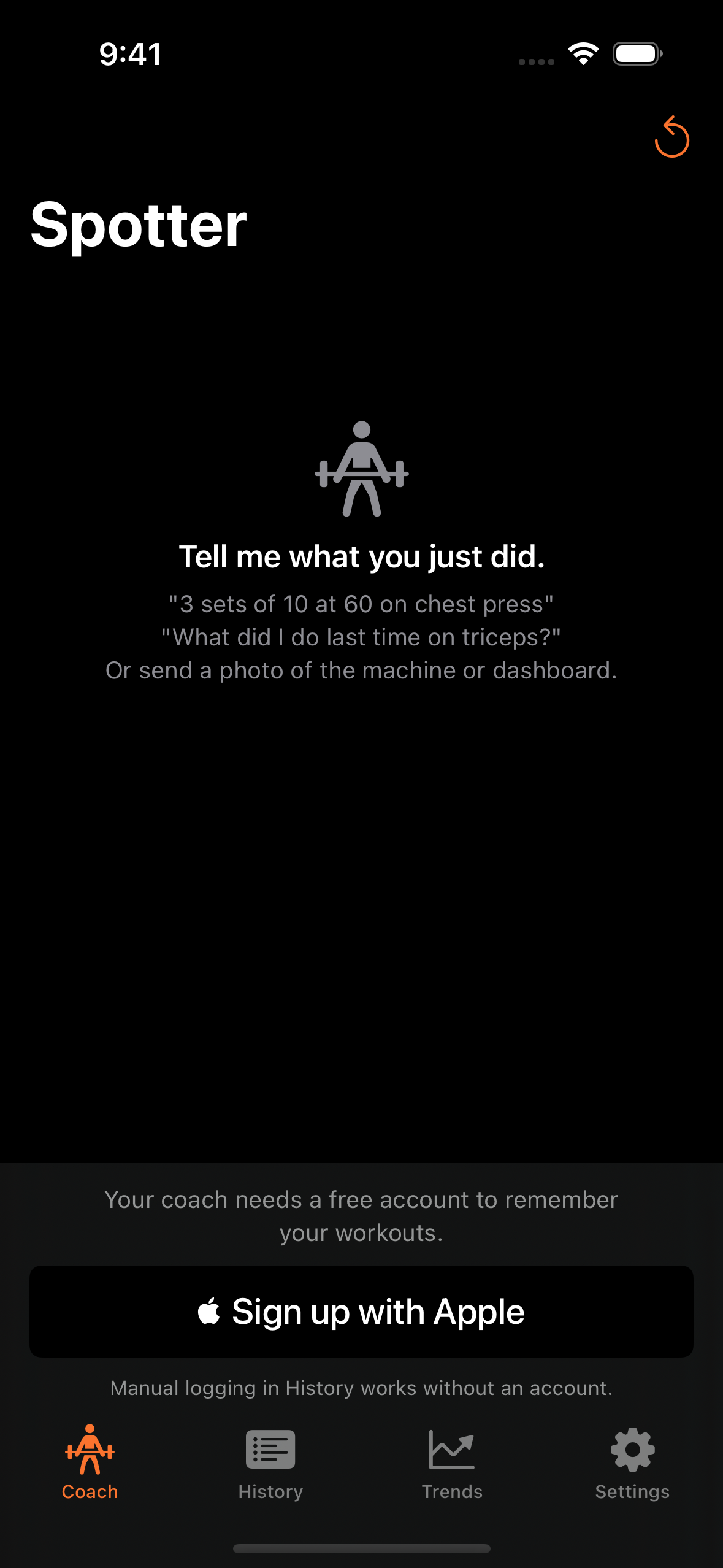
First, declare the dependency in project.yml, since Spotter uses XcodeGen:
packages:
  VoiceCommitWidget:
    url: https://github.com/bennewton999/voicecommit-widget-ios.git
    from: "1.0.0"
Second, configure it once at launch in SpotterApp.swift:
import VoiceCommitWidget

@main
struct SpotterApp: App {
    init() {
        VoiceCommitWidget.configure(widgetId: "vcw_4a1c3d9c-660", domain: "heyspotter.app")
    }
    // ...
}
Third, add a Send feedback row to Settings in SettingsView.swift:
Section("Feedback") {
    Button {
        showFeedback = true
    } label: {
        Label("Send feedback", systemImage: "bubble.left.and.bubble.right")
    }
}
// ...
.voiceCommitFeedbackSheet(isPresented: $showFeedback,
                          context: ["screen": "settings"])
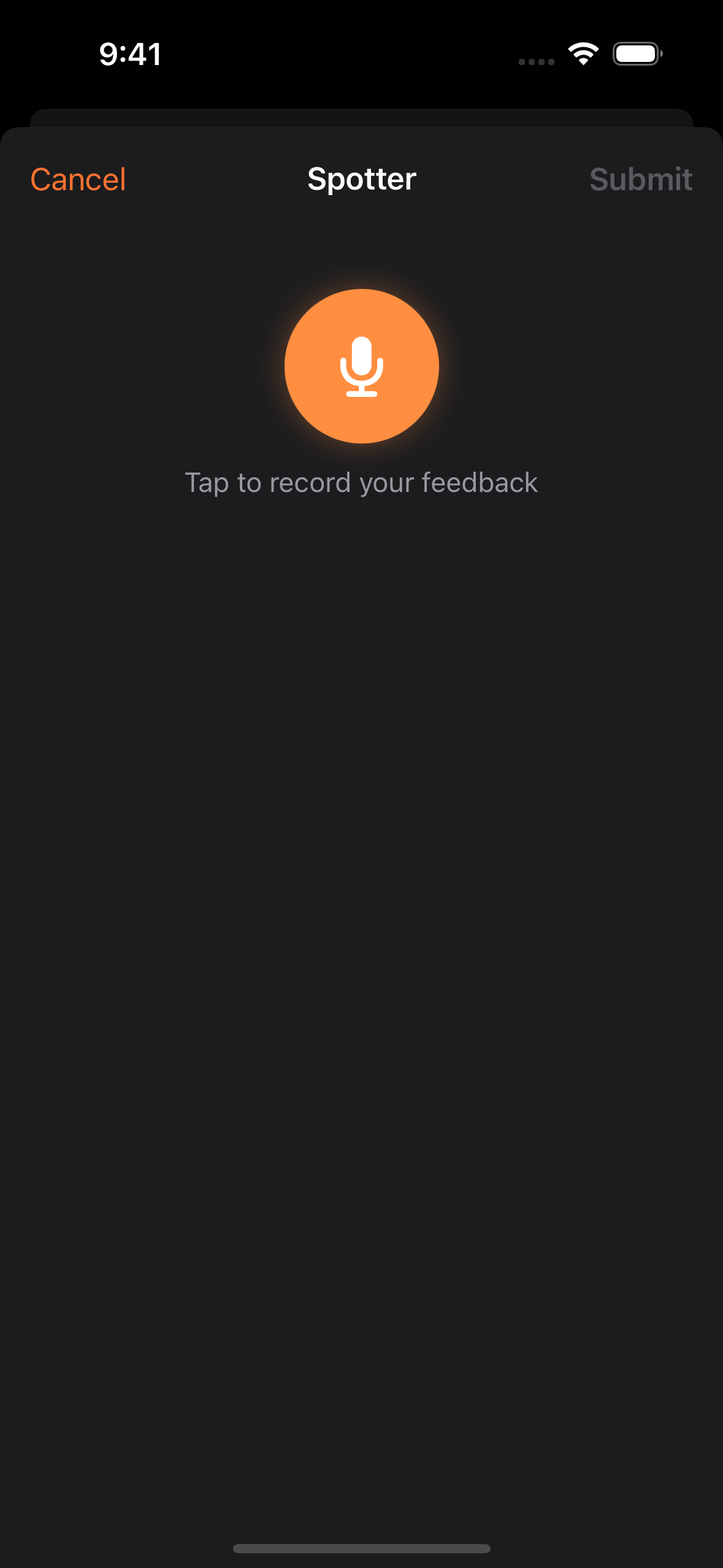
That is the whole thing. Forty lines, most of it the button. When the sheet opens in Spotter, its title reads Spotter, which the SDK pulled from the widget's remote config. Tap the mic, talk, submit. Or tap type instead if you would rather not talk in a crowded gym.
One feedback pipeline for web and native
Here is the part that makes it worth doing. Feedback spoken inside the Spotter app lands in the same VoiceCommit dashboard as web feedback, with the same AI triage. I recorded a test submission from the phone, "Hey this is the feedback I wanna see if it works well or not so far so good," and it showed up already analyzed: intent Praise, sentiment Positive, tied to the heyspotter.app widget.
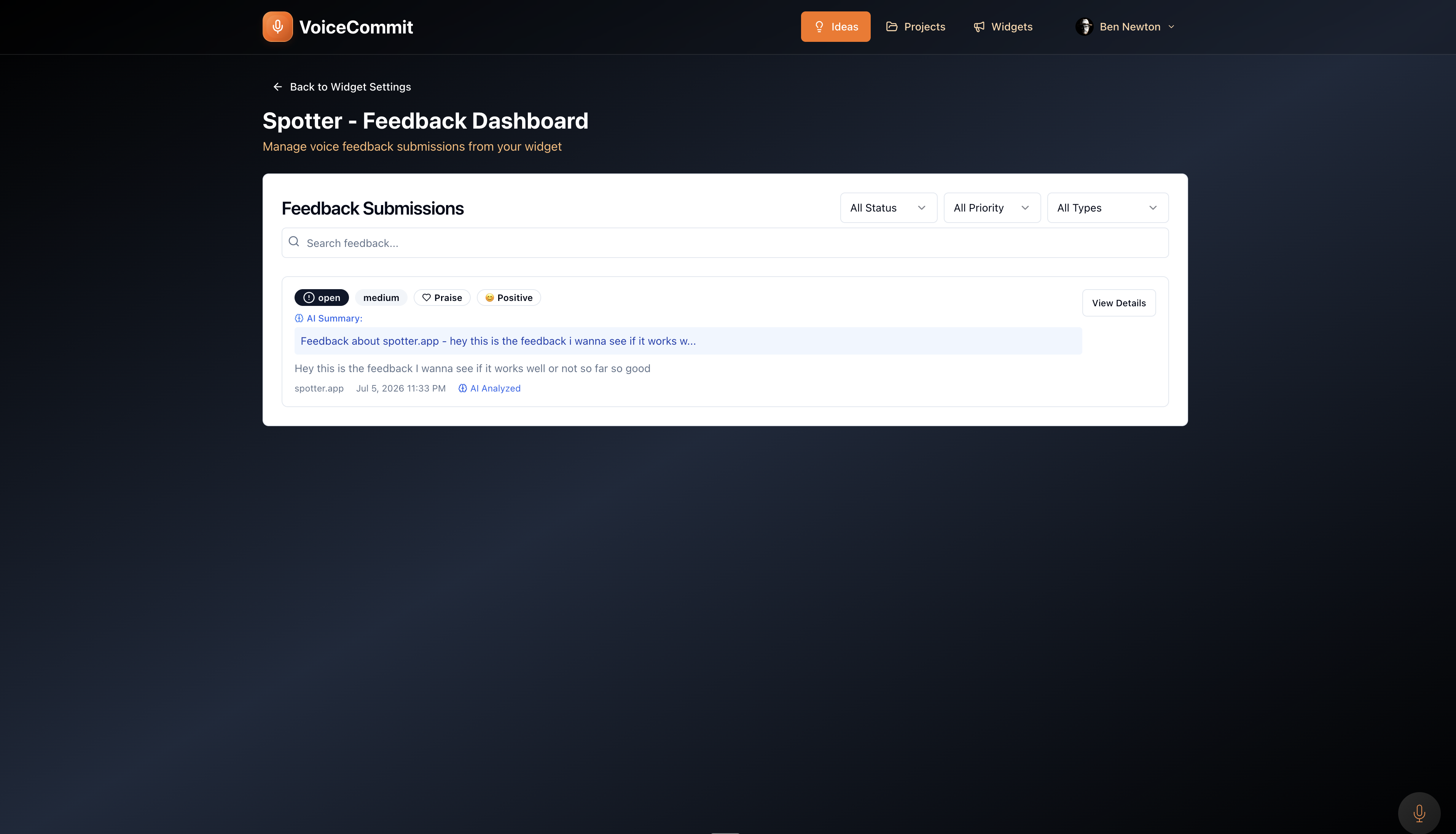
No new infrastructure. No separate mobile-feedback tool to check. The mobile feedback sits next to the web feedback, categorized the same way, ready to become a GitHub issue if the widget points at a repo.
Why this shape is right
The backend is the product. By making the native SDK a thin client over the existing API, everything the web widget already does came along for free: AI analysis, dashboard, notifications, GitHub. On-device speech recognition and a SwiftUI sheet mean it feels like part of the app, not a web overlay. For any app that already has mic and speech permission, adoption is a package, a config line, and a button.
Try it
The SDK is on GitHub at bennewton999/voicecommit-widget-ios, installable through Swift Package Manager for iOS 16 and up. There is an overview at app.voicecommit.com/ios. To set it up, create a widget in the VoiceCommit dashboard, add your app's domain to the allowed list, and pass the widget id and domain to configure.
We went from "you can't put the widget in an app" to a working native feedback loop in an afternoon. That is the point of keeping the widget's backend generic. The next surface is always a thin client away.
Related Posts

The Shower Thought Problem: Why Developer Ideas Disappear Before You Can Use Them
Developers have their best ideas away from the keyboard. Most of those ideas disappear before they become code. Here's why — and how voice capture fixes it.

The Voice to Text Mac App That Lives in Your Menu Bar
Most voice to text Mac apps are built for the wrong person. VoiceCommit is a developer-first voice capture app that lives in your menu bar and routes your thoughts directly to GitHub.

VoiceCommit Now on iOS: Capture Ideas Anywhere
VoiceCommit Now on iOS: Capture Ideas Anywhere